Identify your BYD DiLink UI version
Look at the bottom dock, not the hardware name or build number. Then use the QR menu for the definitive ADB check.
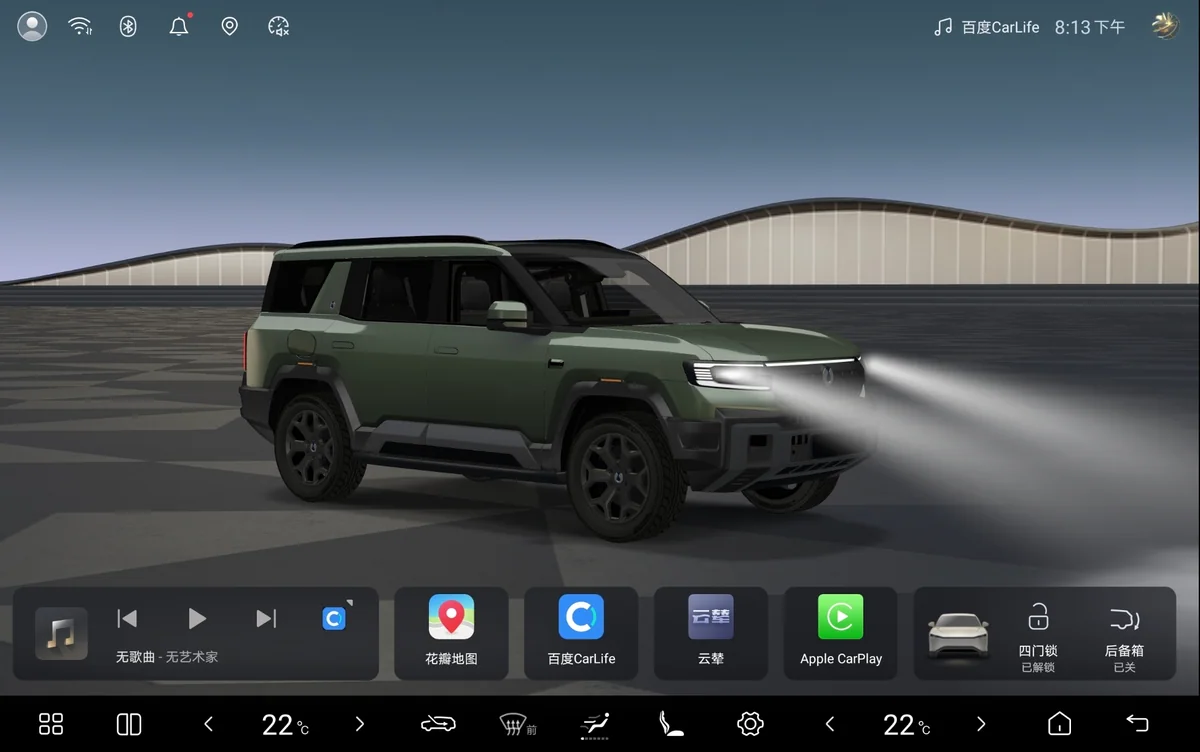
THE IMPORTANT DISTINCTION
UI generation is the number that matters.
A vehicle may ship with a UI generation matching its DiLink hardware, then receive a newer interface through a BYD OTA update.
BAOLAB's Denza B8 shows why the labels cannot be treated as one number: it has DiLink 6.0 hardware and currently runs 5.0 UI.
Based on BAOLAB's own vehicles, completed customer sessions and observed UI behaviour. OTA updates can change the interface, so the live QR test remains definitive.
- DiLink hardware
- The infotainment computer generation installed in the vehicle. It does not reveal the current screen design.
- UI generation
- The visible interface family. For this service, 5.0 UI or newer commonly exposes the required QR route and is often described online as DiLink 5+.
- Build number
- A software release identifier, often styled like a year and month. It does not confirm whether the QR menu appears.
Read the dock, not the wallpaper.
Apps and backgrounds change. The lower control structure is the fastest visual clue.
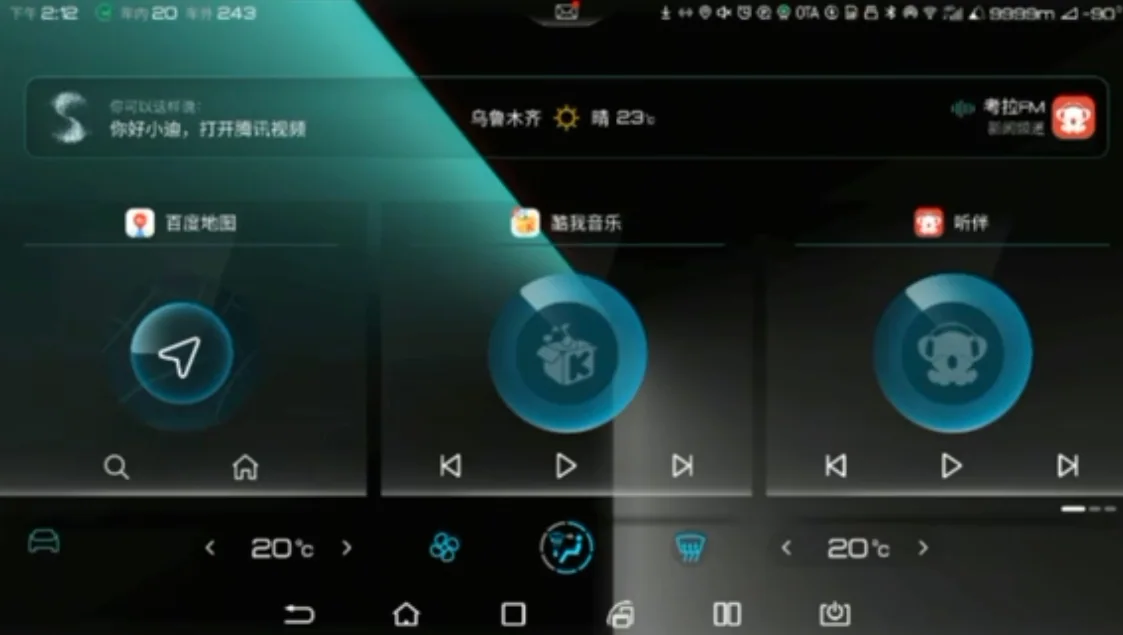
Classic dock
- Cyan climate and vehicle controls
- Separate Android back, home and recent keys
- Legacy dark interface structure
If this visual match is correct, this UI family does not open the required QR menu. Run the dialler test to confirm the estimate.
Wide tile dock
- Oversized app and media tiles
- Thick black lower control rail
- Large temperature numerals on both sides
This is a commonly compatible UI family. The QR menu remains the deciding test.
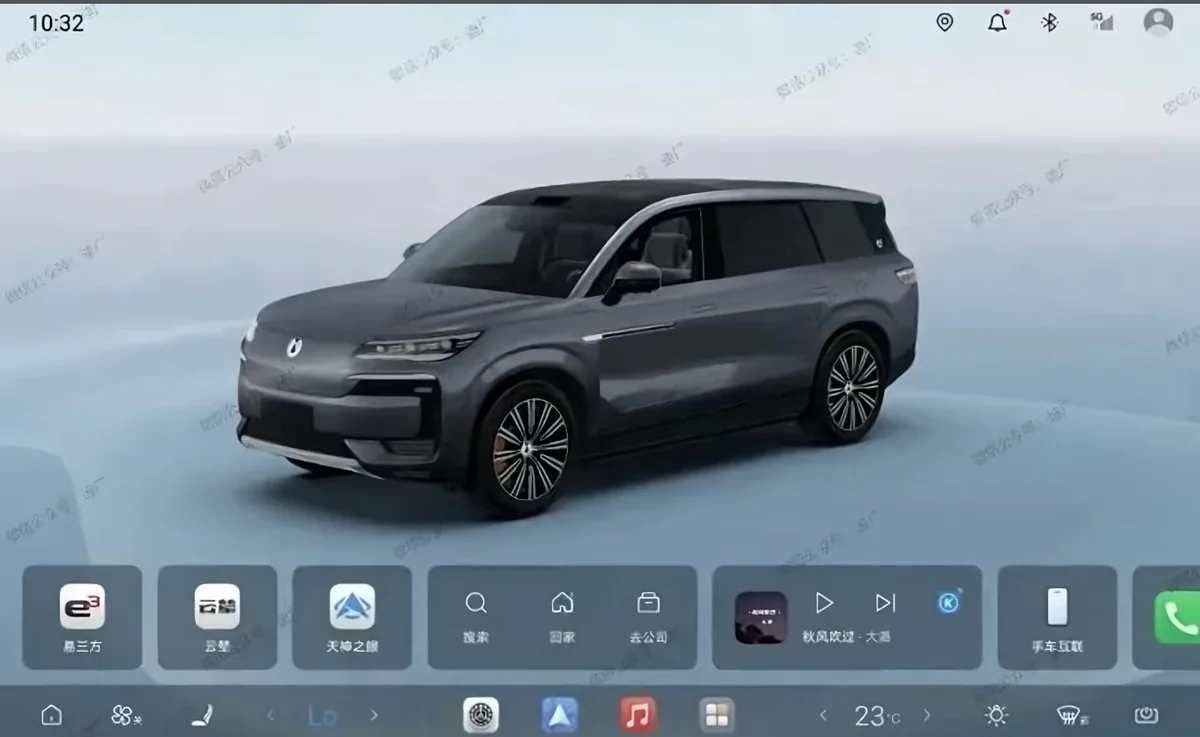
Compact app dock
- Slim full-width utility rail
- Four compact coloured shortcuts in the centre
- Mirrored climate controls
6.0 and 7.0 share this dock family. Reports recorded on 7 September 2026 describe ADB working on 7.0 beta UI; these are beta-user observations, not confirmation of a public release.
These images estimate the UI family. They do not replace the QR test.
The definitive ADB compatibility check
The vehicle itself can answer the question in seconds.
*#91532547#*A QR page confirms the required route is present. If nothing happens, the current UI is not compatible.
The vehicle has a Chinese configuration. A China-routed VPN must be active on the infotainment system during the QR process. Compare the WeCom, VDS and Chinese-configuration QR pages.
Now check the vehicle.
The interactive checker turns the QR result into the correct next step.